

Have your past construction projects run into change order issues? Or are you just starting out and need comprehensive change order guidance? Well, if you want to know all about construction change orders and how to use them to your advantage, you’re in the right place.
In this article, we’ll explain:
- What a construction change order is
- The purpose of a change order
- Who should use a construction change order
- When construction change orders occur
- Types of change orders in construction
- The difference between a change order and a construction change directive
- What a change order form should include
- How to write a construction change order
- Tips for managing change order disputes
- How to manage change orders in construction
- How to avoid construction change orders altogether
We’ll also provide you with a construction change order template you can download for free and start using right away in your business.
Download our free construction change order template
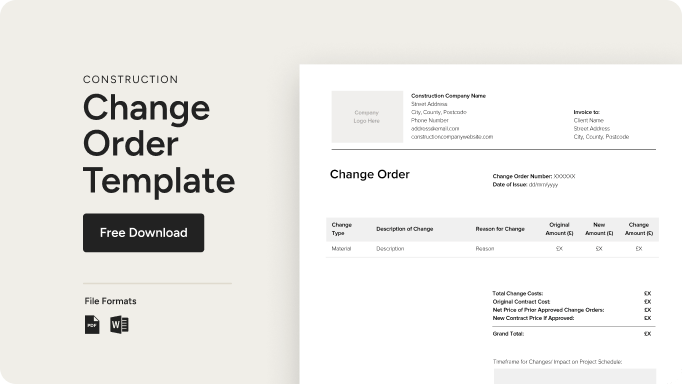
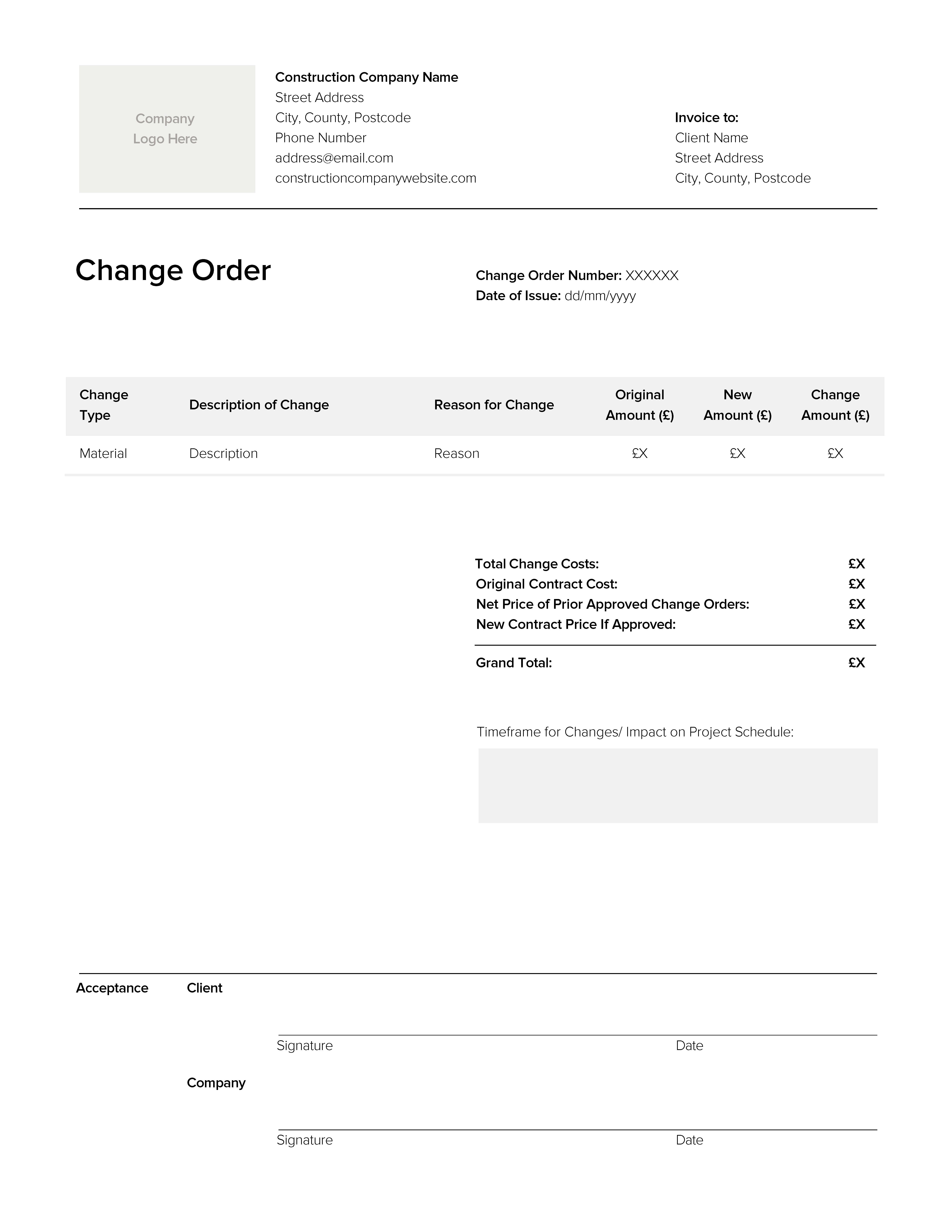
If you’re new to creating change orders, our free change order construction pdf and editable Word template for construction projects is the perfect tool to get you going. Download now for free!
Though our construction change order sample is a great starting point, software programs like Houzz Pro can help you reduce change order issues and speed up the process. Read on to learn more about change orders and how change order software can help.
What is a construction change order?
A construction change order simply refers to any change in the scope of work a contractor will be performing on a construction project. This can include anything from the change in the location of a window to selecting different flooring.

What is the purpose of a change order in construction?
Using a construction change order template helps pros keep track of project changes that can affect the bottom line. If a client wants to choose a different tile, for example, you’ll be able to effectively and assuredly incorporate these higher expenses into your project budget with a detailed change order. More than a third of construction projects require at least one change order, so it’s important to have a process in place. And remember: always document change orders in writing versus relying on verbal agreements. Have your client review and sign each change order to make sure you’re completely covered and in agreement.

Who should use a construction change order?
Anyone in construction who has issued a contract for their work should use a construction change order form. Whether you’re a business owner, project manager or subcontractor, using a thoroughly detailed change order form will help you eliminate ambiguities and protect yourself in the event of disputes.

When do construction change orders typically occur?
If you were to visualise where the construction change order process falls in a flowchart, you would see they are initiated after the initial contract has been signed by both parties (client and contractor) and after work on the project has started. A “change” order indicates a change that needs to be made to the original project contract and plan to accommodate a necessary revision. Any time a substantial amendment to the plan needs to be made, a change order should be issued.

What are the types of change orders in construction?
Fixed price or lump sum contract change orders
These types of change orders will be paid by your client for a set price in full either before the work is done (advanced billing) or after the job is complete (arrears billing).
Cost-plus contract change orders
For a cost-plus change order, you’ll itemise your expenses at cost, then add a fixed markup price or percentage of the cost to cover your time/labour and help ensure a profit.
Time and materials contract change orders
As the name implies, these change orders explicitly list your time and materials costs for making the requested project revision.
Unit price contract change orders
In a unit price change order, each section of the job to be performed is given a unit price that represents the time/labour, materials and markup costs needed to complete that area of the project and provide a profit for your work.
Read Construction Billing Methods to learn more about different billing and contract types or How to Price a Construction Job to know how to protect your margins.

What is the difference between a change order and a construction change directive?
It’s important to know the distinction between a construction change directive vs. change order. While a change order establishes a signed and agreed-upon amendment to the original contract, a construction change directive or CCD can come from the client directly without a contractor signing and agreeing to the change. This is because the contractor is contractually obligated to perform the work of the client, as long as it is safe to do so. The downside of CCDs is that a contractor may not know the full expenses required before making the change, so carefully accounting for time, materials and markup costs during the work is imperative to remaining profitable.

What information is generally required on a change order form?
A typical change order form will consist of the following key elements:
Contact information
Add essential contact information to your change order form for both yourself as the contractor and the client. Make sure to always include full names, addresses, emails, and phone numbers to help make your change order legally viable.
Description of the planned work or change
Make your description of the changes to the project or work you’ll be performing as detailed as possible. Include direct costs for labour, materials and equipment (whether rented or owned), as well as indirect costs (like overhead expenses). Don’t forget about adding consequential costs, which account for business continuity expenses (such as shifting labour requirements and efficiency slowdowns) that result from implementing the change order request at that particular time.
Price of the change
Include the cost breakdown by each individual component (labour, all the required materials, etc.), as well as line item totals and the grand total.
Signatures
Every change order will include at least two signatures (yours and the client’s), but may also require additional signatures from decision-making stakeholders and subcontractors.
Dates
Always include the date when the change order was signed, as well as the revised project completion date (if affected) as a result of the change.

How do you write a construction change order?
Use these steps as a guide to writing and completing your construction change order template:
1. Meet with all involved parties to define the change
Whether by phone, video conference or in-person, meeting directly with your client will help minimise errors and clear up ambiguities.
2. Determine impacts on budget and schedule
No matter what they entail, change orders will always have some impact on your budget and schedule, so make sure to take the time to assess accordingly.
3. Select your construction change order template or build one from scratch
Use our free construction change order sample, or use project management software to speed up the process.
4. List the amendments and the amount for each item within the change order
Include as much detail as possible when itemising the requested changes to the project and the various associated costs, also including the updated contract value.
5. Provide a detailed description outlining the reason for the change
Make sure to include the reason for making the change so this is well-documented.
6. Double check for accuracy
Your change order is essentially a contract amendment, so take time to review it to ensure everything is correct.
7. Share with the client
Send your change order, then follow up with a text or phone call to keep your client up to speed and the project moving forward.
8. Obtain your client’s signature or further negotiate if needed
Always make sure you sign every change order and obtain a signature from your client.
9. Store your change order someplace secure
Keep your physical and digital files in a safe place along with extra copies, and an external or cloud backup.

Tips for managing change order disputes
If a dispute comes up about your change order, here are a few tips for how to address it:
- Reference estimates or quotes to confirm if a change order is justified.
- Make sure to obtain a signed change order before changing the scope of work or doing any additional work.
- Collaborate on change orders with subcontractors to get their input on the time/labour required, materials and technical requirements to fulfil the change.
- Leverage the “Amendments” section of your original construction contract to address how you’ll manage change orders when they occur so you can set expectations upfront.
While disputes can arise for any number of reasons, having a well-written change order contract will be crucial to your success.

How do you manage change orders in construction?
Keeping track of change orders can get complicated without a proper system in place. While DIY and manual methods can work, using the right project management software can save you time and make your change orders more secure.
Software like Houzz Pro comes with cloud-based storage, so change orders are always backed up, up-to-date and easy to find. Using Houzz Pro's project management software also helps speed up your work by having files, estimates and contracts in one place, along with being able to quickly communicate through client dashboards and obtain e-signatures for approval.
You can streamline change orders and reduce calculation errors by utilising Houzz Pro, and creating a built-in construction change order form template, making it easier to create change order forms for every construction project.

How to avoid construction change orders altogether?
Though change orders can never be 100% avoided—due to things like weather or supply chain issues or even your client simply changing their mind—you can reduce the possibility of needing a change order with the right tools.
Visualisation tools
Help clients see the big picture for your project and reduce changing course with powerful visualisation tools like our 3D Floor Planner.
Takeoffs
Create more precise estimates from the start and help eliminate costly mistakes with digital takeoff software. Explore How to Do Construction Takeoffs to learn more.
Project collaboration software
Collaborate more effectively with your subcontractors and get their feedback during the approval process before sending to the client with versatile project collaboration features.
Conclusion
With our construction change order form template and how-to guide, you’re ready to create change orders like a pro. If you want to take your business to the next level, start a free trial of Houzz Pro's project management software to leverage visualisation tools, create faster takeoffs, improve project collaboration and more. Houzz Pro even has a feature to help you manage change orders!
Check out How to Do a Construction Invoice to keep reading and learn more about construction billing.