
The Ultimate Guide to Construction Scheduling: Strategies and Free Template
Master construction scheduling with our ultimate project plan guide. Discover essential strategies and best practices for project planning, as well as a free Gantt chart construction template to streamline your activities and boost the efficiency of your construction project management.

The key to any successful building project is methodical coordination of all the moving parts involved to ensure the build finishes on time, within budget, and to the client’s satisfaction. A construction schedule is the control centre of these many moving parts, with the detailed planning of phases and tasks in the full project plan, so everyone involved knows what needs to happen and when, as well as anticipating any potential delays so they can be rectified to keep the project on track.
But how do you know what to include in a construction schedule of works? Well, that’s where this nifty guide comes in, providing practical, user-friendly insights for creating a solid building schedule, as well as a downloadable free contractor schedule template to get you started.
Jump straight to the section you’re most interested in:
- What is Construction Scheduling?
- Construction Scheduling Basics
- Types of Construction Schedules
- How to Make a Construction Schedule
- Free Construction Schedule Template
- How to Make a Construction Schedule with Houzz Pro
- Construction Scheduling Challenges
- Construction Schedule Best Practices
- The Future of Construction Scheduling

What is construction scheduling?
Construction scheduling is the process of creating a plan for the construction team to follow. It identifies a task list of what needs to be done, the duration and deadline for each task, who will be executing them, and all the resources needed to produce the work, plus associated costs. A schedule of building works is also a critical element of any construction programme as it is a contract between the project team, which consists of the owners, any architects or designers, the contractors, and suppliers, ensuring everyone agrees to the schedule for the entire project.
What is a construction schedule?
Project scheduling is the finely tuned timeline of activities and deliverables that will complete the construction project. As the project progresses, the construction schedule is followed from start to finish, adapting and flexing when obstacles arise, such as weather or labour constraints. A construction schedule can be presented in different ways, such as a Gantt chart, a network diagram, or even a 3D model, however, the outcome is always the same, ultimately showing the timings and sequencing of activities throughout the build’s lifecycle.
What is the difference between a construction schedule and a construction schedule of works?
Despite sharing things in common, these are different project documents. Where construction schedules deal with timings and organisation of tasks, a building schedule of works doesn’t include the same detail and simply lists the work required on the project. A schedule of works example would be a list of works to take place during the project, plus a price list of items, such as sanitary fittings, doors, windows, and carpentry.
Construction scheduling basics
Still wondering what construction programming entails? Or how should the schedule maker go about organising a work programme in construction? Here we dive into the common terms included in construction schedules and their definitions to help you structure your schedule of work with the correct order of tasks:
- Project Milestones - Major project phases that are significant to the building schedule and programme of work construction. For example, start and end dates, phase completion dates, and project handover dates.
- Duration - The length of time a task should take to complete, often measured in work days.
- Dependencies - The connection between project activities, where one task relies on another to begin or end.
- Lead time - The amount of time it takes to start a task to its completion, including waiting for materials to arrive on site.
- Lag time - The time between an activity completion and a dependent task being able to begin, such as drying or curing.
- Float - The amount of slack time an activity can be delayed without holding up another task.
- Resource Allocation - Managing and assigning the resources needed for the project, such as materials, labour, and equipment, and determining the availability of all these resources to complete the tasks.
- Baseline Schedule - This refers to the approval of a schedule, which can then only be changed through formal avenues. The baseline schedule keeps construction project managers on the right track and helps them to compare the timeline with real-life results.
Types of construction schedules
There are three main visualisation tools used to create project task schedules. While each method offers its own perspective on project management and scheduling, they all bring visual clarity to project scheduling tasks, timelines, and construction activities, clearly depicting all information in a comprehensible format, and enabling teams to manage the construction project more effectively. Here we discuss each method and their benefits:
Gantt Charts
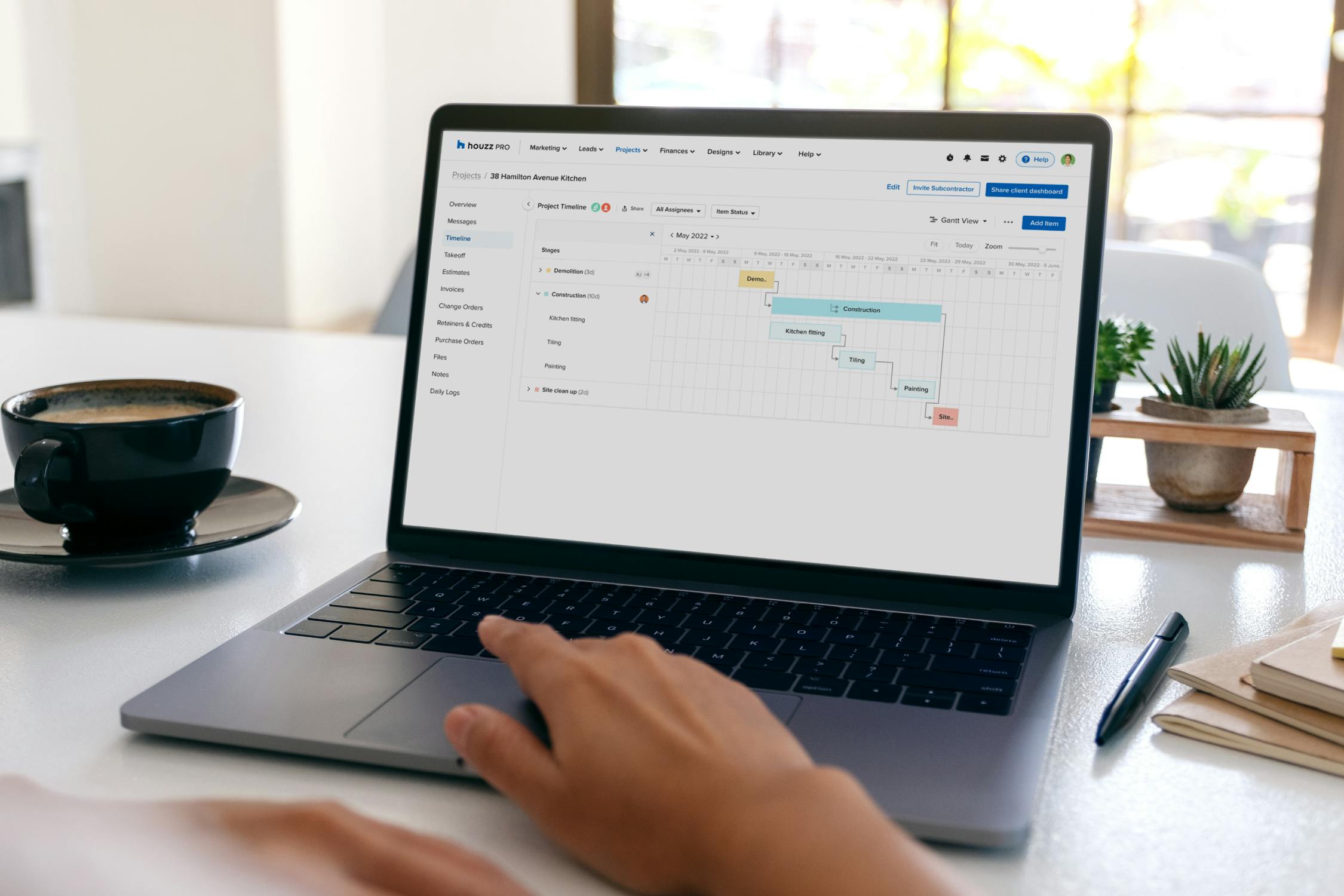
A Gantt Chart shows the construction project on a bar chart, with all the project requirements and project phases depicted on a horizontal axis, the length of which represents the task duration. Gantt Chart bars can also show the dependencies between activities, helping to improve the coordination of tasks and manage resources more effectively, particularly on complex projects. Gantt Chart bars tend to be the most common tool used for construction project management and is also the timeline tool that Houzz Pro software features, allowing you to map, track, and tackle every step of your project from beginning to end.
Network Diagrams
This graphic tool differs from a Gantt bar chart in that it mainly represents the relationship between activities and how one task links to the next, unlike a Gantt diagram that has more emphasis on the project timeline. A network diagram is useful for project teams as it maps out the logical sequencing of project phases, making it easier for the construction project to flow smoothly and stay on track of the critical path.
3D Models with Scheduling Data (4D BIM)
In building information models (BIM 4D), a detailed project schedule can be integrated with a virtual 3D model of the final building, allowing construction teams and clients to visualise how the project will look at different stages and the end result. Similar to a Gantt diagram and a Network Diagram, a 4D BIM can be updated as construction projects progress, while pairing a highly visual model with a project schedule can promote good team collaboration, understanding, and communication of the project plan.
How to make a construction schedule
Follow these steps to creating a construction schedule and communication plan and you'll nail the key points needed for successful, project timeline planning:
1 - Define the project
Once you've collated all the information about the project, give it a title and a description so anyone reading the construction schedule will instantly know what type of build they are coming to. Identify all the key stakeholders involved in the project, from project managers to owners, and ask all subcontractors how long their part will take in the project so you start planning the project timeline accurately. This will also help you establish the overall budget and a schedule of payments, as well as project milestones, from the project start to the final handover.
At this stage, it's also important to identify which project scheduling tool to use, especially if multiple projects are going at once. While using a sample construction schedule template is a great way to get your feet wet with scheduling, using software and other tools can save you time and effort, especially if you have multiple projects going at once
2 - Manage tasks
Collate a task list and prioritise these tasks in the order they will take place, paying attention to tasks dependent on others, so link those. At this planning stage, make use of the work breakdown structure (WBS) to moderate your deliverables and break down the tasks to their most essential parts, so you know exactly what needs to be done when. A Gantt Chart will then help you map these tasks on a timeline.
Allocate each task to the schedule depending on its priority - A Gantt Chart is ideal for this stage helping you to map these tasks on a timeline.
3 - Review regularly
Anyone involved with construction projects knows things can change rapidly, therefore a project schedule also needs to flex and adapt to keep up with the real-time changes. Continuous monitoring and reviewing of the schedule daily, and adjusting it when issues arise, is vital to ensure progress aligns with the plan and everything stays on track.
Grab your free construction schedule template here!
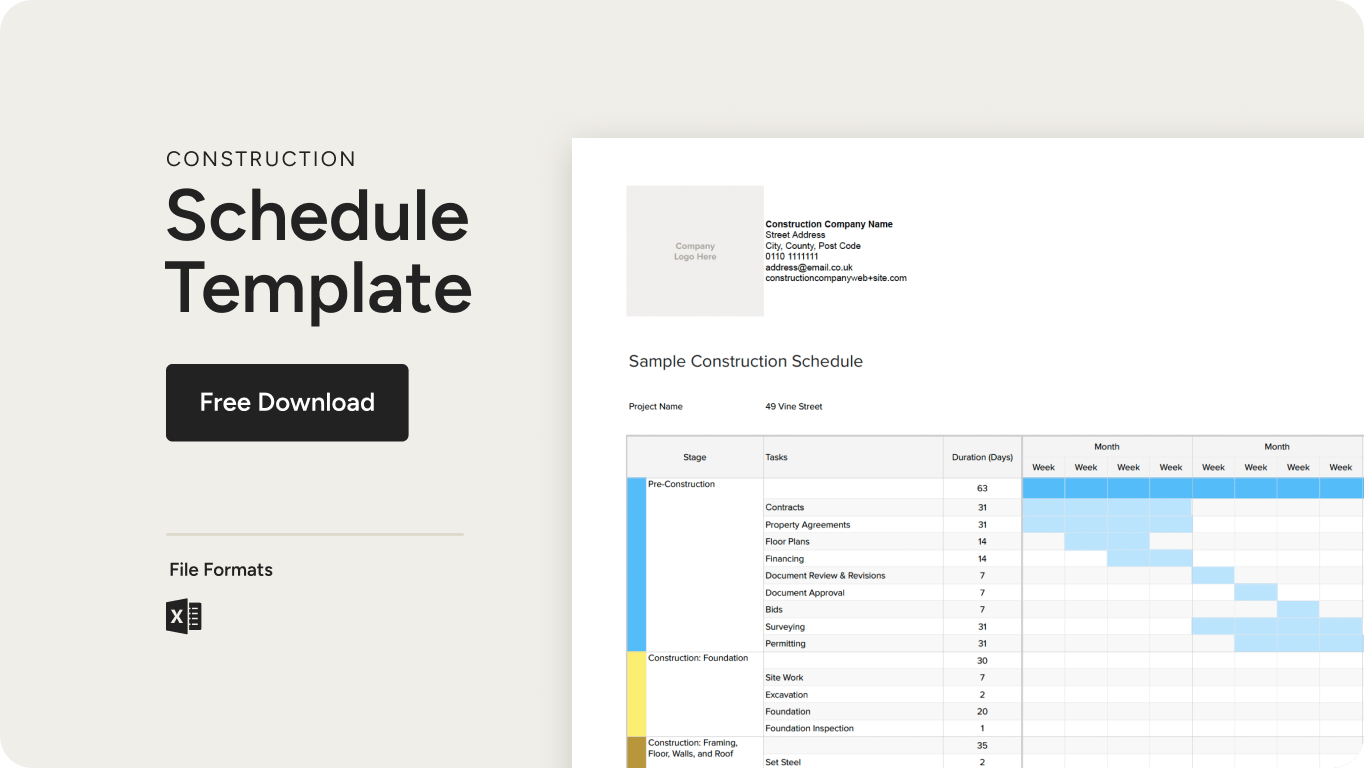
Customise this project schedule to help keep your project on track, but keep in mind that a template is only a starting point. While it’s a great idea to practice with this one if you’re new to the industry, if you’re already established — and especially if you have a project task for multiple clients — you’ll want to use software that allows for more flexibility and customisation of project tasks. We’ll discuss that in more detail below.
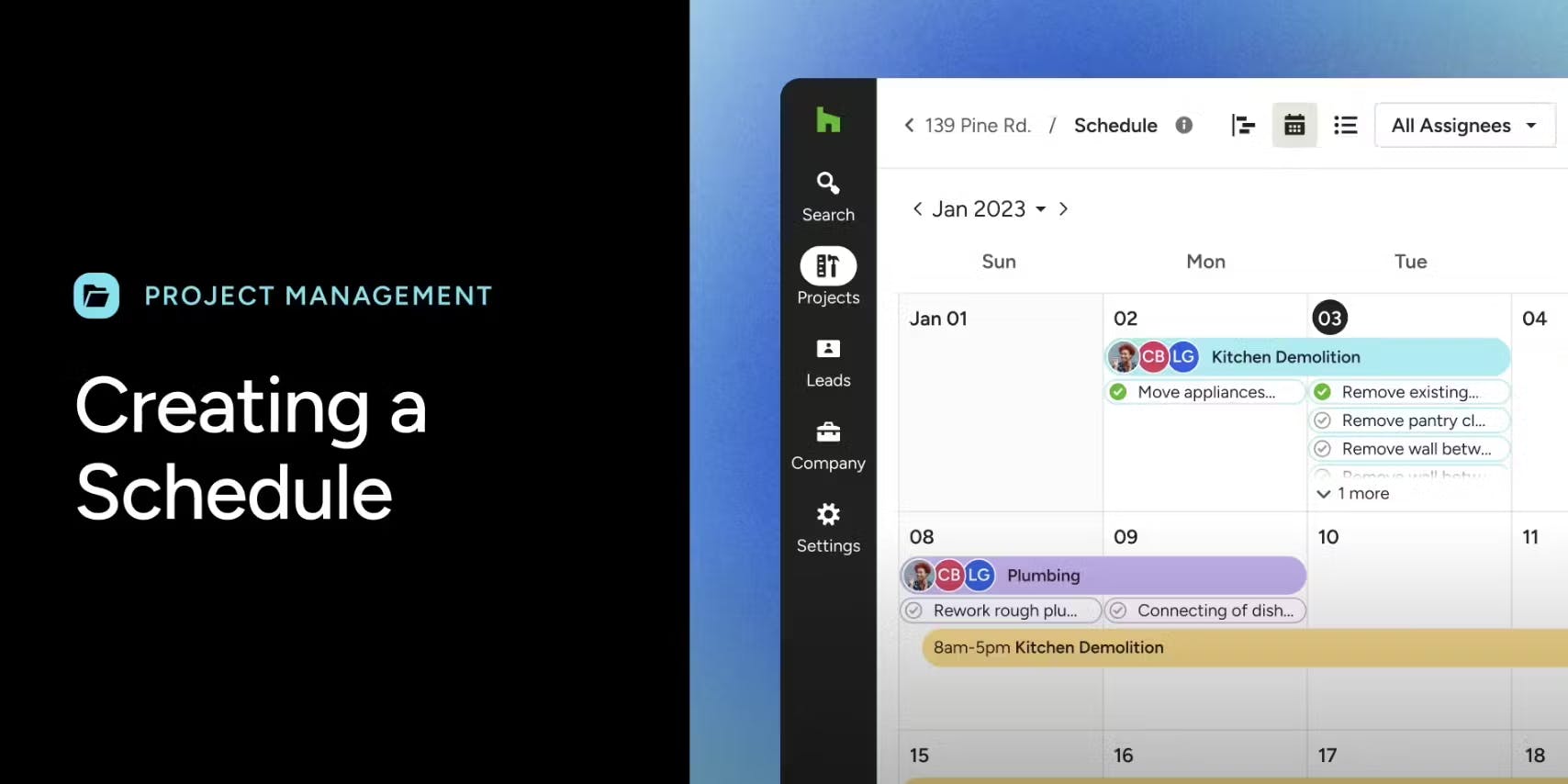
How to make a construction schedule with Houzz Pro
Make life easier for yourself with Houzz Pro's timeline tool that ensures your team, subcontractors, general contractors, and clients are all on the same page. It’s a place where you and the team can easily see the next steps in your project and plan accordingly.
Amongst other things, the timeline tool allows you to see project milestones, add phases and items to project tasks, assign project tasks to team members, notify key stakeholders when an item dependency is marked off your list, and track progress with seamless calendar integrations.
Follow this step-by-step guide to begin creating your customisable schedule, or watch the video for a clear demonstration.
Create Schedule
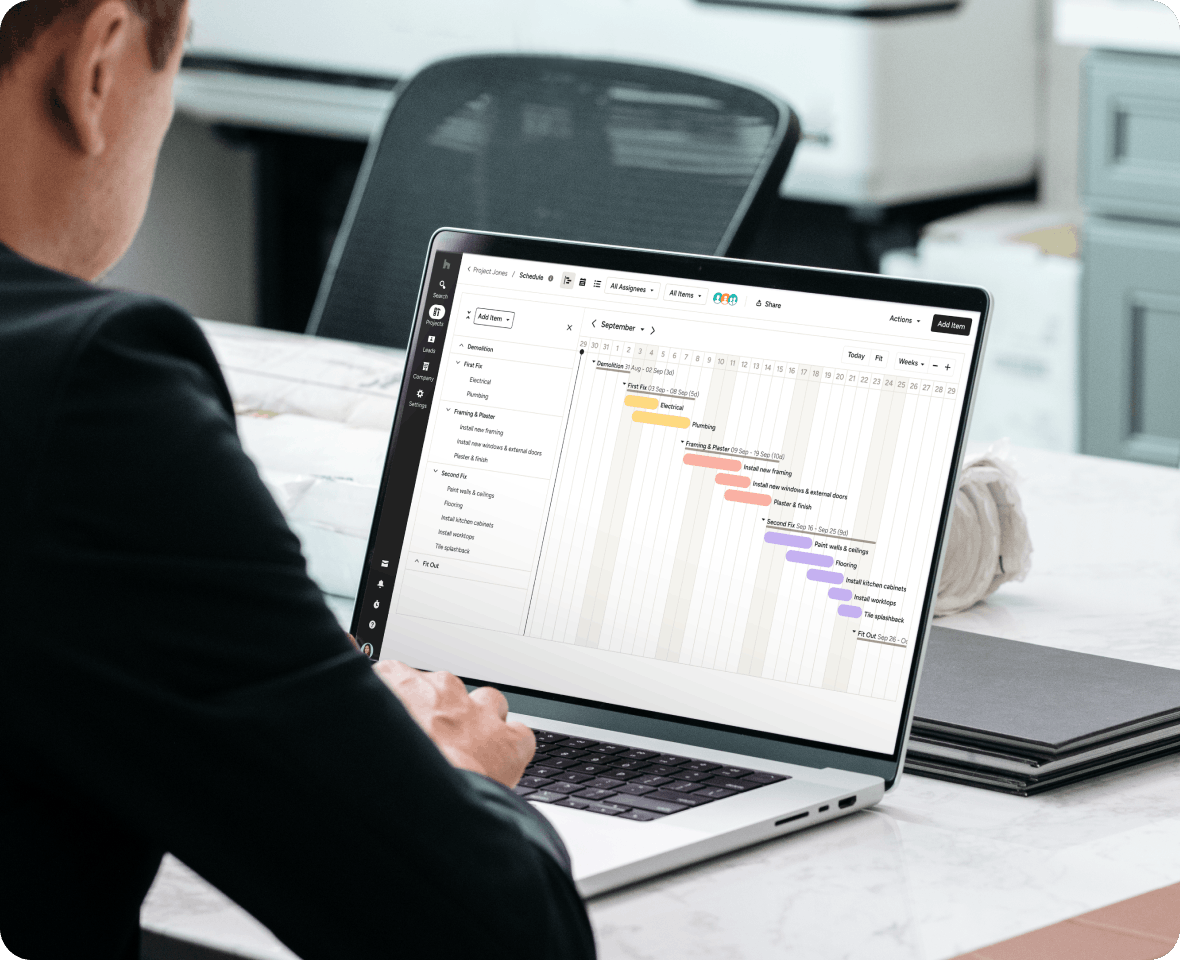
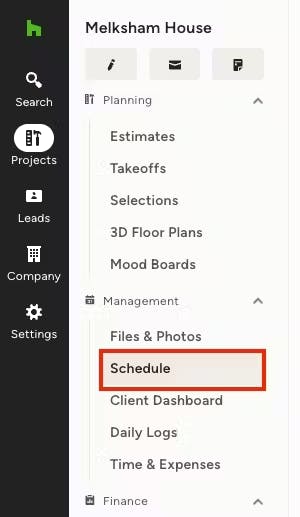
To begin creating your schedule, simply navigate to a project in the left-hand column, and then select Schedule from the left menu. Once in the schedule, you can either create a schedule from scratch, or you can use preset templates or custom templates. You can choose from the three views available at the top of the page. These are Gantt, Calendar or List view. You can choose the one that works best for you and change back and forth between views depending on what you want to see.
Adjust Workday Settings
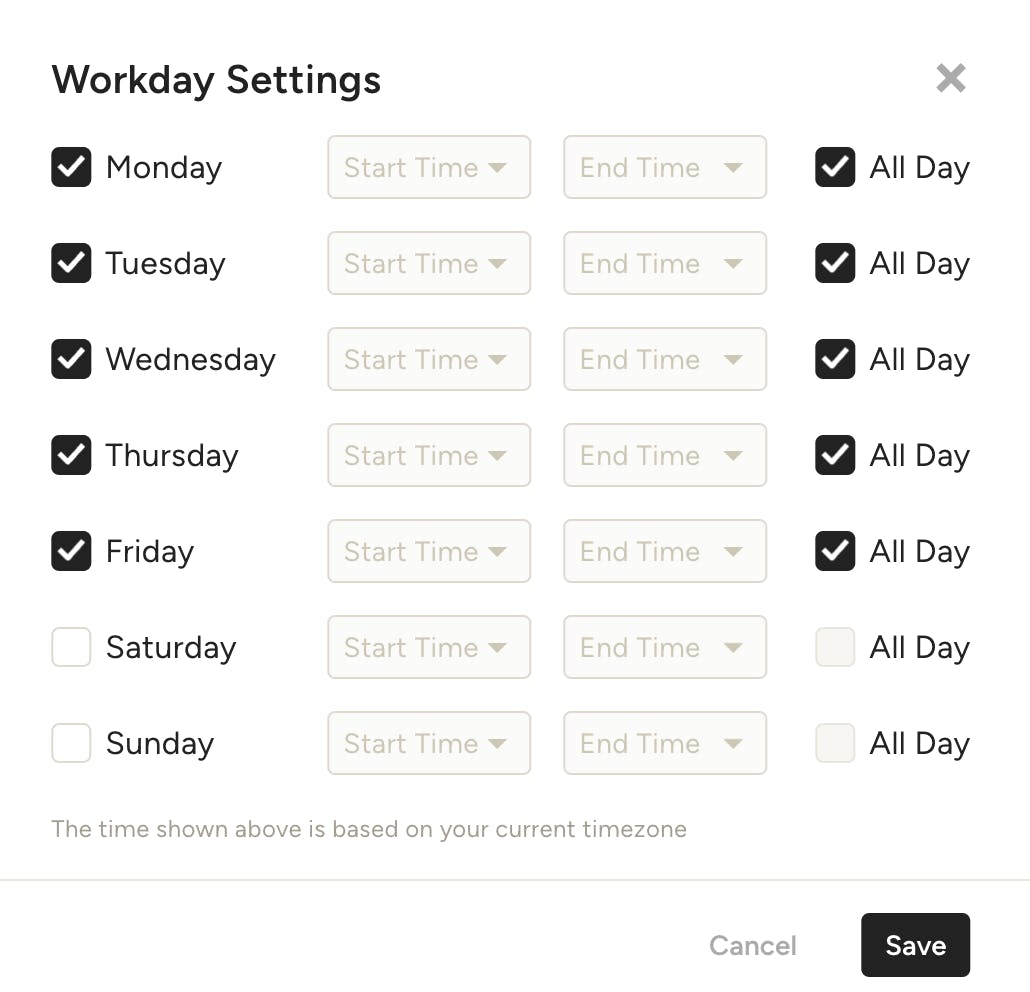
As you set up your schedule, you can easily adjust your workday settings to ensure it accurately reflects your availability. To adjust, select Workday Settings from the Actions dropdown. From there, you will be able to select the days you are available to work — you can select all day or adjust to specific times.
Create Phases & Items
The Houzz Pro Schedule is broken into 3 tiers to best reflect your workflow. We have Phases, Items and Tasks.
- Phases — You can group your items into a phase and at a glance see how long that portion of the project is due to take.
- Items — You can create multiple items and group them under a phase. Here you will be able to create multiple dependencies between items.
- Tasks — You can break your items into smaller tasks and assign them to your team.
You can create Items simply by clicking a date on the calendar of the Gantt view. Your Item will appear on the calendar and you will be able to name it accordingly. You can then drag the Item to determine the number of days it will take. In the left-hand column, you can click the menu button to show all of your phases and items you have created for the schedule so far.
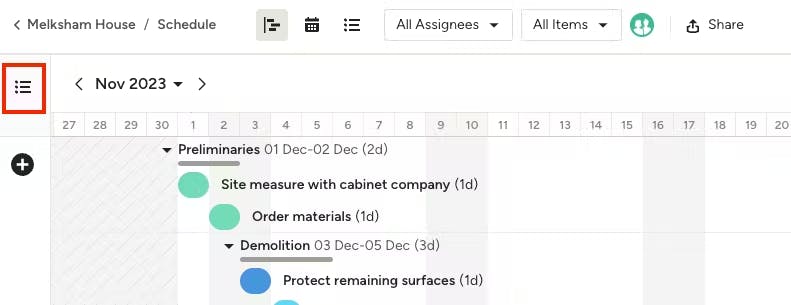
Here you can add phases and items. Hover over a phase for the options to add an item, edit, delete or rename the phase. You can also change the order of phases and items by clicking and dragging the line item and moving it to the preferred spot.
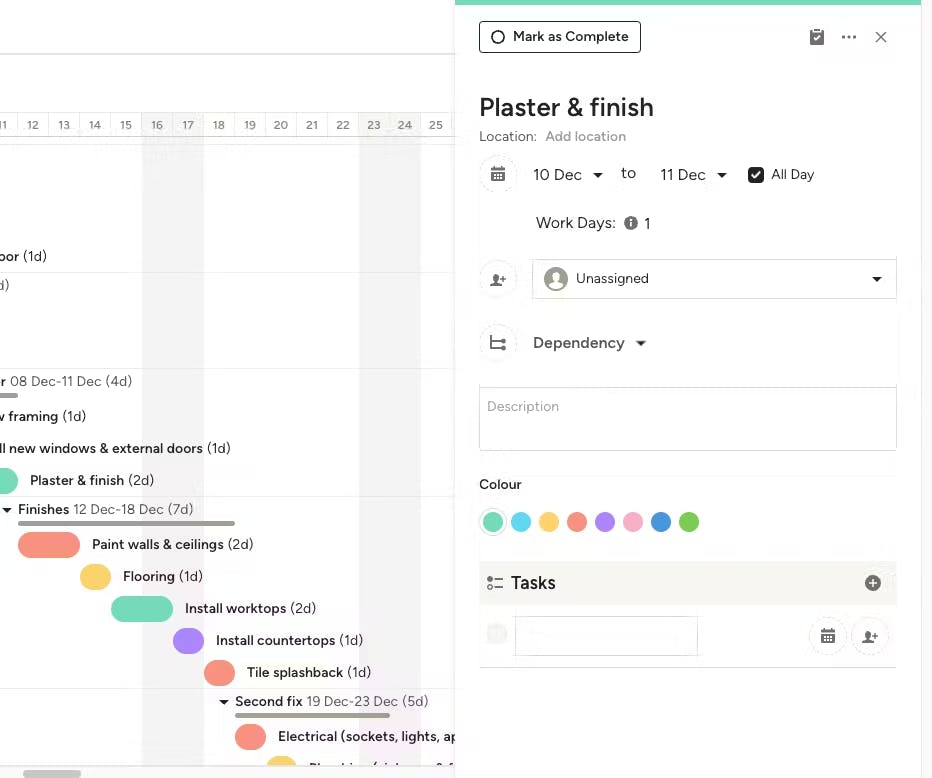
When you click on the item within your schedule, you will see a panel on the right side of your screen where you can make multiple edits including:
- Start & Finish Date
- Assign to stakeholder
- Create a dependency (or multiple dependencies)
- Give a description of the item
- Create a task
- Colour coding
- Attach any documents to a task
While you can easily adjust items and phases individually (as mentioned above), you can also adjust the start date for your entire schedule and move everything at once. If your project gets delayed for any reason, you can make this adjustment in just a few short clicks.
To adjust the start date, click on Actions at the top of your schedule, then select Move Project Start Date.
A new screen will appear where you can select the new start date from the calendar. You can also adjust the baseline (more details below on this feature).
Be sure to click Save. All the phases and items in your schedule will now automatically adjust to reflect the new start date.
Create Dependencies
When building out your schedule, you can easily make multiple items dependent on the completion of another item. Creating dependencies in your schedule is useful if there are certain stages of the project that can't move forward until another stage is complete.
To create a dependency:
1. Click on the item you want to edit to open the item details.
2. Within the edit screen on the right-hand side, click on Add Dependency.
3. From there, you can select whether this item should begin after or end before another item. Select the relevant option from the dropdown.
4. Select the item you want to create a dependency on. In this instance, the protecting of remaining surfaces needs to end before the old kitchen strip out begins.
5. You will now see a dependency shown in your schedule. You can add another dependency by clicking the + icon. You can also delete the dependency by clicking the x next to it.
Assign Items and Tasks
Within the schedule, you can also assign items to your team members or clients. This will notify the assignee and make sure they are keeping up to speed with the project.
When you click the item and bring up the panel on the right. You will see there is a dropdown automatically selected to Unassigned here you can either invite team members to the system and assign them that way or choose from a list of team members who are already using the system.
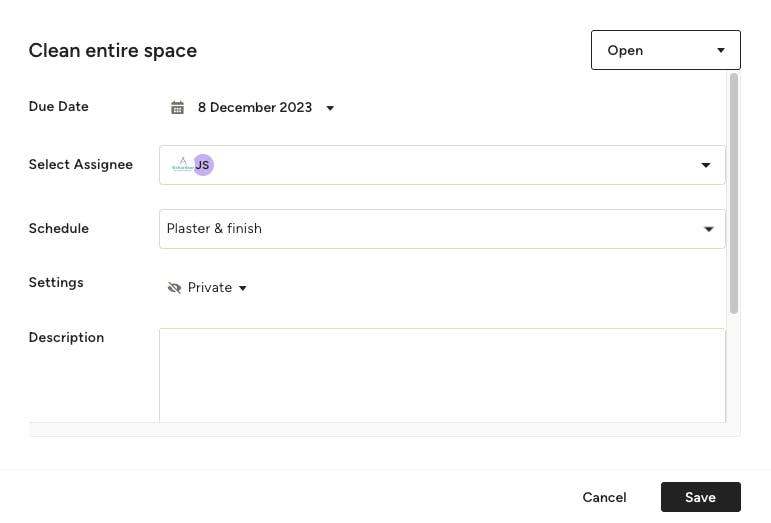
When you create a task associated with an item you will be given a screen that allows you to add more detail including setting the due date and a description for more information on the task, you can also attach files if necessary.
Share Your Schedule
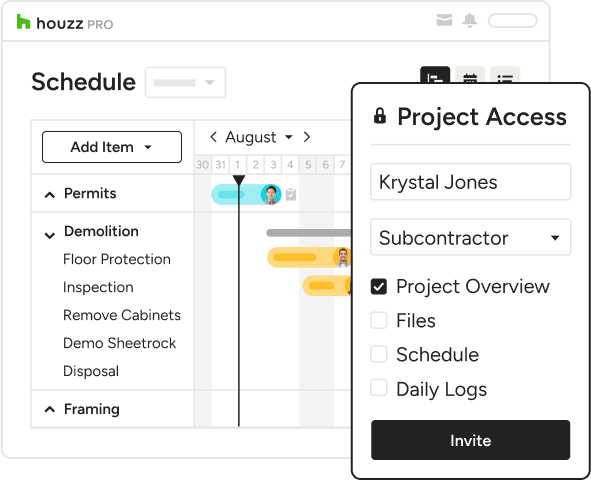
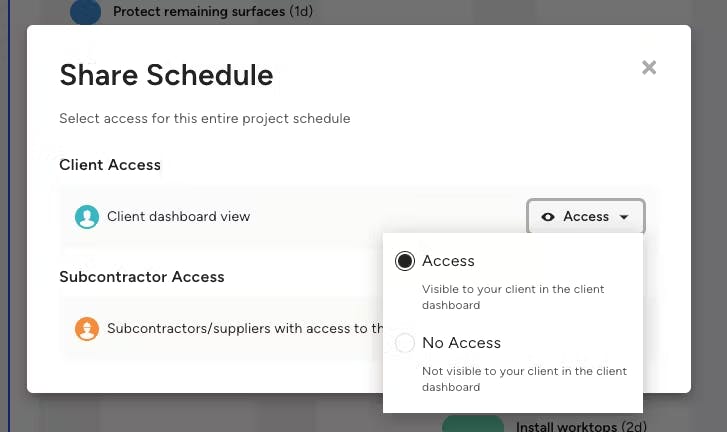
It's easy to share your schedule to keep the whole team informed of changes as they come up. Click the Share button above your schedule — you can then allow clients access in the Client Dashboard, as well as provide access to subcontractors and/or suppliers.
If you prefer to print and share, no problem. You can export your schedule in the Gantt view as a PDF or PNG.
To start, select Actions in the top right of your schedule screen. Select Export As from the dropdown. You can choose to export the schedule in the "current view” to see the schedule as it appears on your screen with filters applied, or in the “full Gantt view” to see the entire schedule.
Click Export to download the file and print from there.
Construction scheduling challenges
You might be an expert at project planning and managing construction projects, yet there's always a risk of unforeseen challenges affecting the scheduling of various project phases of a build. It's being aware of these challenges that are the key so project managers can alleviate potential delays or overruns.
Potential issues to look out for include:
- Adverse weather conditions - There's nothing you can do if adverse weather delays outdoor construction, however keeping an eye on the long-term forecast will give you time to adjust the schedule, bring other project tasks forward, and ensure everyone is aware of potential delays.
- Resource availability - Whether it's a lack of skilled tradespeople, materials, or machinery, limited availability of resources can stop work in its tracks.
- Change orders - Changes in design or unforeseen issues can require adjustments to the original plans and delay work.
- Site issues - Uncovering dangerous materials or inadequate foundations that require remedying before other work can continue can set the timeline back.
- Building Control Assessment - If the necessary building notices or permits haven't been obtained, or inspections need to be conducted by the local building control authority work can be halted.
- Breakdown in Communication - Miscommunication between the team and the client can lead to conflicts or scheduling mishaps.

Construction schedule best practices
As mentioned above, not even the best project planning can prevent adverse weather from holding up a construction project, however, putting the strategies below in place can help to minimise construction scheduling challenges and stay on track.
Create a detailed work breakdown schedule
Clearly outline the project tasks and activities to be completed using a WSB to track the progress, mark significant milestones, and determine a budget for resources.
Plan the entire project
It's no good simply creating a schedule for the first few stages of a project, a project timeline and schedule must span from the project start to the hand-over, so the team and stakeholders can understand the entire process and how long everything is going to take.
Set a realistic project timeline
Don't be tempted to cut corners to make the timeline look better. This will only cause issues down the track. Instead, set a timeframe for each of the project tasks, and then calculate the overall timeline of the project, so everyone is clear on what will happen when and the final deadline. With Houzz Pro's schedule software, you can update and share your project’s timeline with anyone involved, while the app will allow you to make adjustments from your mobile device, so you can rest assured your timeline’s always up to date.
Stay on top of potential delays
From the outset, identify any potential setbacks to the schedule, such as weather conditions, supply chain issues, and labour shortages, so that you put strategies into place early on, and reduce the risk of delays.
Establish contingency plans
Unforeseen events can affect the critical path and timeline of a build, so it's important to factor contingency plans into your schedule to reduce the impact when issues occur.
Provide clear paths of communication
Decide from the start how you will communicate with your project team and the client, so everyone is clear on how to get in touch with each other. Make sure you schedule regular meetings and check-ins to keep everyone in the loop and use project management software, like Houzz Pro's collaboration tool, to easily share project information, files and updates.
Leverage project management software
Opt for management software that organise projects in one easy-to-use tool. Houzz Pro helps you to improve scheduling processes, stay organised with clients and teams, and manage the many moving pieces of your construction project.
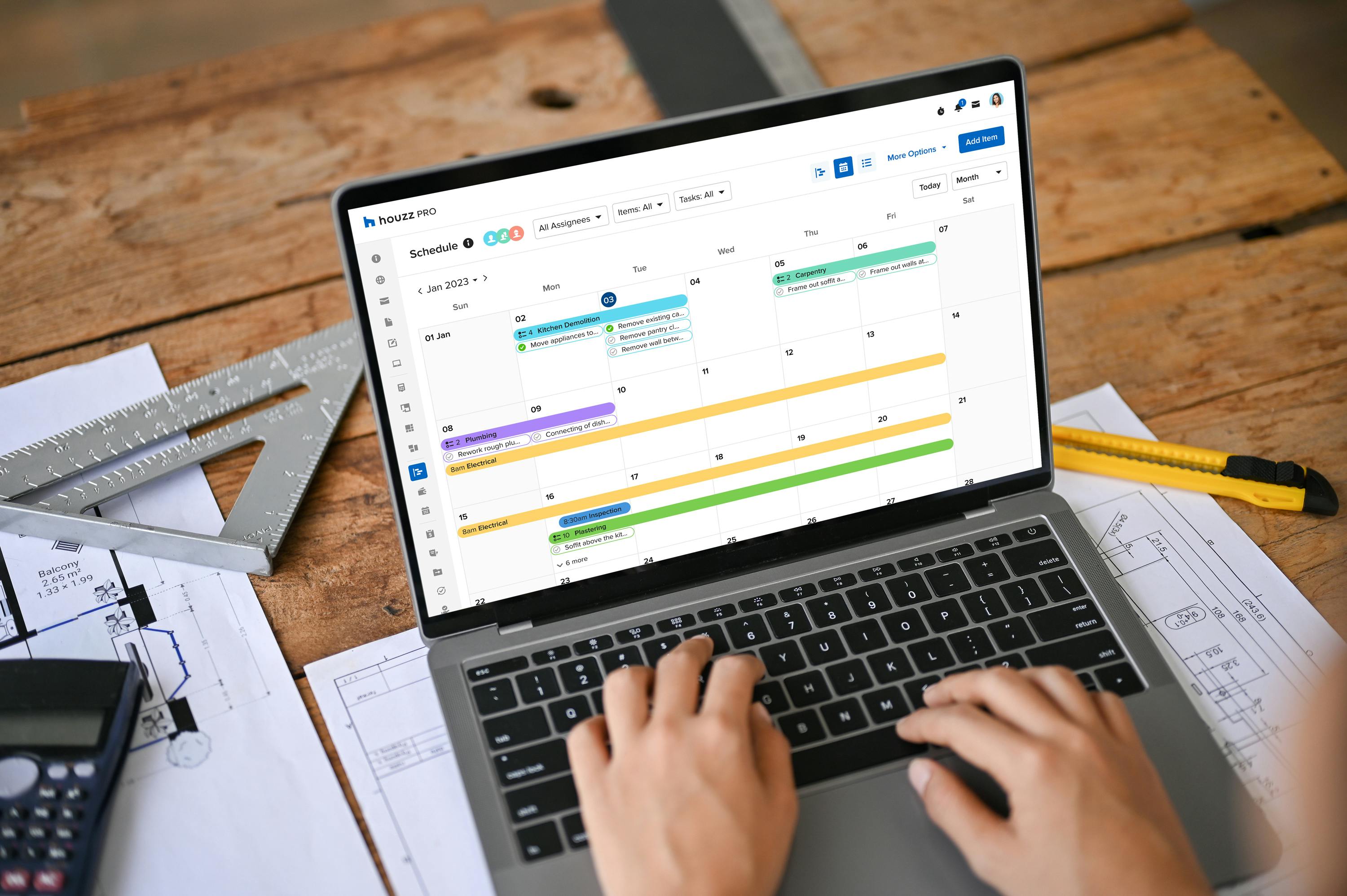
The future of construction scheduling
As with many industries, technological advancements are having a profound effect on the construction industry, improving its efficiency and enhancing collaborative relationships. Cloud-based construction management software, such as Houzz Pro, is becoming the norm for the industry and replacing time-consuming processes like Excel spreadsheets, to greatly reduce administrative time, errors, and delays, create schedules and in turn, save money. As a result, construction scheduling is also seeing huge technological developments thanks to advanced data analytics, machine learning, and artificial intelligence (AI).
Innovation data analytics can help the team who are managing projects by easily tracking the progress of the build in real-time, keeping an eye on operational patterns, and obtaining automated reports to predict resources, project timelines, and any potential delays. Similarly, AI can help by comparing current project plans with previous project data to forecast more realistic schedules and resource allocation. What's more, all these advanced tools can be accessed on the go via smartphones or tablets, ensuring great team collaboration and communication and worksite productivity.
As mentioned above, BIM 4D is an impressive tool making huge advancements in project planning and scheduling as it combines 3D modelling with time-related data taken from the construction schedule, enhancing coordination and communication among the construction project managers and stakeholders.
In short, these positive technological advancements to construction scheduling are not only elevating capabilities and productivity they are also helping to mitigate risk, saving time and money.

Conclusion
The holy grail for construction scheduling is to alleviate errors and delays and deliver an impeccable build on time and on budget, and by adopting the best practices listed above, you'll ensure project success every time. Houzz Pro's Construction Scheduling software is closely aligned with future trends and current best practices, helping to make the construction process more streamlined and efficient, and ensuring every project runs smoothly without hiccups.
To further set your construction project management on the right path, follow this step-by-step guide to the construction project management life cycle, and create an efficient workflow right from the concept stage through until the finishing details to ensure an organised, efficient, and timely project.